CEH

Top 10 Most Common Types of Cyber Attacks

Top 10 Most Common Types of Cyber Attacks has various categories of information security threats, such as network threats, host threats, and application threats, and various attack vectors, such as viruses, worms, botnets, that might affect an organization’s information security.This section introduces you to the motives, goals, and objectives of information security Cyber Attacks, top information security attack vectors, information security threat categories, and the types of Cyber Attacks on a system Below is a list of information security attack vectors through which an attacker can gain access to a computer or network server to deliver a payload or malicious outcome.

A cyber attack is any sort of offensive action that targets computer information systems, infrastructures, computer networks or personal computer devices, using various methods to steal, alter or destroy data or information systems. These cyber attacks you can learn in CEH v10.

Top 10 Most Common Types of Cyber Attacks

1.Cloud Computing Threats:

Cloud computing provides several benefits, like speed and efficiency via dynamic scaling. However it additionally raises a number of issues regarding security threats, like information breaches, human error, malicious insiders, account hijacking, and DDoS attacks. Clouded computing is an on-demand delivery of IT capabilities in which IT infrastructure and applications are provided to subscribers as a metered service over a network. Clients can store sensitive information on the cloud. Flaw in one Client’s application cloud could potentially allow attackers to access another client’s data.

2.Advanced Persistent Threats (APT):

Advanced Persistent Threat (APT) is an Cyber attacks that focuses on stealing information from the victim machine without its user being aware of it. These attacks are generally targeted at large companies and government networks. APT attacks are slow in nature, so the effect on computer performance and Internet connections is negligible. APTs exploit vulnerabilities in the applications running on a computer, operating system, and embedded systems.

3.Viruses and Worms:

Viruses and worms are the most prevalent networking threats, capable of infecting a network within seconds. A virus is a self-replicating program that produces a copy of itself by attaching to another program, computer boot sector or document. A worm is a malicious program that replicates,Executes and spreads across network connections. A computer worm could be a standalone malware computer program that replicates itself so as to unfold to alternative computers. Often, it uses a computer network to spread itself, looking forward to security failures on the target computer to access it. Viruses make their way into the computer when the attacker shares a malicious file containing it with the victim through the Internet, or through any removable media. Worms enter a network when the victim downloads a malicious file, opens a Spam mail or browses a malicious website.

4.Ransomware:

Ransom ware is a type of a malware, which restricts access to the computer system’s files and folders and demands an online ransom payment to the malware creator(s) in order to remove the restrictions. Ransom ware could be a subset of malware during which the information on a victim’s computer is locked, usually by encoding, and payment is demanded before the ransomed information is decrypted and access is came back to the victim. The motive for ransom ware attacks is almost continually financial, and in contrast to alternative kinds of Cyber Attacks, the victim is sometimes notified that AN exploit has occurred and is given directions for the way to endure the attack It is generally spread via malicious attachments to email messages, infected software applications, infected disks or compromised websites.

5.Mobile Threats:

Attackers are increasingly focusing on mobile devices, due to the increased Adoption of smart phones for business and personal use and their comparatively fewer security controls. Users may download malware applications (APKs) onto their smartphones, which can damage other applications and data and convey sensitive information to attackers. Attackers can remotely access a smartphone’s camera and recording app to view user activities and track voice communications, which can aid them in an attack.Like viruses and spyware that may infect your computer, there are a variety of security threats that may have an effect on mobile devices. We tend to divide these mobile threats into many categories: application-based threats, web-based threats, network-based threats and physical threats.

6.Botnet:

An attacker can usually target computers not safeguarded with firewalls and/or anti-virus software. A botnet manipulator will get management of a computer in a variety of ways in which, however most often will therefore via viruses or worms. Botnets are important as a result of they need become tools that each hackers and arranged crime use to perform extralegal activities on-line. As an example, hackers use botnets to launch coordinated denial-of-service attacks, while organized crime uses botnets as ways in which to spam, or send a phishing attack that’s then used for determine theft. A botnet is a huge network of compromised systems used by attackers to perform denial-of-service attacks. Bots, in a botnet, perform tasks such as uploading viruses, sending mails with botnets attached to them, stealing data, and so on. Antivirus programs might fail to find—or even scan for—spyware or botnets. Hence, it is essential to deploy programs specifically designed to find and eliminate such threats.

Also Read :Top cyber security certifications of 2020 in India
Related Product : Certified Ethical Hacker | CEH Certification

7.Insider Attack:

Insiders that perform attacks have a definite advantage over external attackers because they need approved system access and additionally is also familiar with network architecture and system policies/procedures. Additionally, there is also less security against insider attacks as a result of several organizations specialize in protection from external attacks.An insider attack is an attack by someone from within an organization who has authorized access to its network and is aware of the network architecture.Insider threats to your network usually involve those who work as workers or contractors of your company. They belong in your facilities and that they often have user accounts in your networks. They understand things regarding your organization that outsiders sometimes don’t–the name of your network administrator, that specific applications you use, what variety of network configuration you’ve got, that vendors you’re employed with.

Read More : https://www.info-savvy.com/top-10-most-common-types-of-cyber-attacks/

———————————————————

This Blog Article is posted by

Infosavvy, 2nd Floor, Sai Niketan, Chandavalkar Road Opp. Gora Gandhi Hotel, Above Jumbo King, beside Speakwell Institute, Borivali West, Mumbai, Maharashtra 400092

Contact us – www.info-savvy.comhttps://g.co/kgs/ttqPpZ

CEH

What are different types of attacks on a system

Many approaches exist to gain access are different types of attacks on a system. One common requirement for all such approaches is that the attacker finds and exploits a system’s weakness or vulnerability.

Types of attacks on a system

1. Operating System Attacks

Today’s Operating Systems (OS) are loaded with features and are increasingly complex. While users take advantage of these features, they are prone to more vulnerabilities, thus enticing attackers. Operating systems run many services such as graphical user interfaces (GUIs) that support applications and system tools, and enable Internet access. Extensive tweaking is required to lock them down. Attackers constantly look for OS vulnerabilities that allow them to exploit and gain access to a target system or network. To stop attackers from compromising the network, the system or network administrators must keep abreast of various new exploits and methods adopted by attackers, and monitor the networks regularly.By default, most operating systems’ installation programs install a large number of services and open ports. This situation leads attackers to search for vulnerabilities. Applying patches and hot fixes is not easy with today’s complex networks. Most patches and fixes tend to solve an immediate issue. In order to protect the system from operating system attacks in general, it is necessary to remove and/or disable any unneeded ports and services.

Some OS vulnerabilities include:
 Buffer overflow vulnerabilities
 Bugs in the operating system
 An unmatched operating systemAttacks performed at the 05 level include:
 Exploiting specific network protocol implementations
 Attacking built-in authentication systems
 Breaking file-system security
 Cracking passwords and encryption mechanisms

2. Misconfiguration Attacks

Security misconfiguration or poorly configured security controls might allow attackers to gain unauthorized access to the system, compromise files, or perform other unintended actions. Misconfiguration vulnerabilities affect web servers, application platforms, databases, networks, or frameworks that may result in illegal access or possible system takeover. Administrators should change the default configuration of the devices before deploying them in the production network. To optimize the configuration of the machine, remove any unneeded services or software. Automated scanners detect missing patches, misconfigurations, use of default accounts, unnecessary services, and so on.

Also Read : Top 10 Most Common Types of Cyber Attacks
Related Product : Certified Ethical Hacker | CEH Certification

3. Application-Level Attacks

Software developers are often under intense pressure to meet deadlines, which can mean they do not have sufficient time to completely test their products before shipping them, leaving undiscovered security holes. This is particularly troublesome in newer software applications that come with a large number of features and functionalities, making them more and more complex. An increase in the complexity means more opportunities for vulnerabilities. Attackers find and exploit these vulnerabilities in the applications using different tools and techniques to gain unauthorized access and steal or manipulate data.Security is not always a high priority to software developers, and they handle it as an “add-on” component after release. This means that not all instances of the software will have the same level of security. Error checking in these applications can be very poor (or even nonexistent), which leads to:

  • Buffer overflow attacks
  • Sensitive information disclosure
  • Denial-of-service attacks
  • SQL injection attacks
  • Cross-site scripting
  • Phishing
  • Session hijacking
  • Parameter/form tampering
  • Man-in-the-middle attacks
  • Directory traversal attacks
  • SQL injection attacks

4. Shrink-Wrap Code Attacks

Software developers often use free libraries and code licensed from other sources in their programs to reduce development time and cost. This means that large portions of many pieces of software will be the same, and if an attacker discovers vulnerabilities in that code, many pieces of software are at risk.
Attackers exploit default configuration and settings of the off-the-shelf libraries and code. The problem is that software developers leave the libraries and code unchanged. They need to customize and fine-tune every part of their code in order to make it not only more secure, but different enough so that the same exploit will not work. An attack can be active or passive. An “active attack” attempts to alter system resources or affect their operation. A “passive attack” attempts to learn or make use of information from the system but does not affect system resources (e.g., wiretapping).you can learn all types of attack in CEH v10 location in Mumbai. The infosavvy provides the certified Ethical hacking training and EC Council Certification.  

5. Man-in-the-middle (MitM) attack

A MitM attack occurs when a hacker inserts itself between the communications of a client and a server. Here are some common types of man-in-the-middle attacks:Session hijackingIn this type of MitM attack, an attacker hijacks a session between a trusted client and network server. The attacking computer substitutes its IP address for the trusted client while the server continues the session, believing it’s communicating with the client. as an example , the attack might unfold like this:1. A client connects to a server.
2. The attacker’s computer gains control of the client.
3. The attacker’s computer disconnects the client from the server.
4. The attacker’s computer replaces the client’s IP address with its own IP address and spoofs the client’s sequence numbers.
5. The attacker’s computer continues dialog with the server and therefore the server believes it’s still communicating with the client.

IP Spoofing

IP spoofing is used by an attacker to convince a system that it’s communicating with a known, trusted entity and provide the attacker with access to the system. The attacker sends a packet with the IP source address of a known, trusted host rather than its own IP source address to a target host. The target host might accept the packet and act upon it.

Replay

A replay attack occurs when an attacker intercepts and saves old messages then tries to send them later, impersonating one among the participants. this sort can be easily countered with session timestamps or nonce (a random number or a string that changes with time).Currently, there’s no single technology or configuration to stop all MitM attacks. Generally, encryption and digital certificates provide an efficient safeguard against MitM attacks, assuring both the confidentiality and integrity of communications. But a man-in-the-middle attack are often injected into the center of communications in such how that encryption won’t help — for instance , attacker “A” intercepts public key of person “P” and substitute it together with his own public key. Then, anyone wanting to send an encrypted message to P using P’s public key’s unknowingly using A’s public key. Therefore, A can read the message intended for P then send the message to P, encrypted in P’s real public key, and P will never notice that the message was compromised. additionally , A could also modify the message before resending it to P. As you’ll see, P is using encryption and thinks that his information is protected but it’s not, due to the MitM attack.So, how can you confirm that P’s public key belongs to P and to not A? Certificate authorities and hash functions were created to solve this problem. When person 2 (P2) wants to send a message to P, and P wants to be sure that A won’t read or modify the message which the message actually came from P2, the following method must be used:

  1. P2 creates a symmetric key and encrypts it with P’s public key.
  2. P2 sends the encrypted symmetric key to P.
  3. P2 computes a hash function of the message and digitally signs it.
  4. P2 encrypts his message and therefore the message’s signed hash using the symmetric key and sends the whole thing to P.
  5. P is able to receive the symmetric key from P2 because only he has the private key to decrypt the encryption.
  6. P, and only P, can decrypt the symmetrically encrypted message and signed hash because he has the symmetric key.
  7. he’s ready to verify that the message has not been altered because he can compute the hash of received message and compare it with digitally signed one.
  8. P is additionally ready to convince himself that P2 was the sender because only P2 can sign the hash in order that it’s verified with P2 public key.

6. Phishing and spear phishing attacks

Phishing attack is that the practice of sending emails that appear to be from trusted sources with the goal of gaining personal information or influencing users to do something. It combines social engineering and technical trickery. It could involve an attachment to an email that loads malware onto your computer. It could even be a link to an illegitimate website which will trick you into downloading malware or handing over your personal information.Spear phishing may be a very targeted sort of phishing activity. Attackers take the time to conduct research into targets and make messages that are personal and relevant. due to this, spear phishing are often very hard to spot and even harder to defend against. one among the only ways in which a hacker can conduct a spear phishing attack is email spoofing, which is when the information within the “From” section of the e-mail is falsified, making it appear as if it’s coming from someone you recognize , like your management or your partner company. Another technique that scammers use to add credibility to their story is website cloning — they copy legitimate websites to fool you into entering personally identifiable information (PII) or login credentials.

To reduce the danger of being phished, you’ll use these techniques:

  • Critical thinking — don’t accept that an email is that the real deal just because you’re busy or stressed otherwise you have 150 other unread messages in your inbox. Stop for a moment and analyze the e-mail.
  • Hovering over the links — Move your mouse over the link, but don’t click it! Just let your mouse cursor h over over the link and see where would actually take you. Apply critical thinking to decipher the URL.
  • Analyzing email headers — Email headers define how an email need to your address. The “Reply-to” and “Return-Path” parameters should lead to the same domain as is stated within the email.
  • Sandboxing — you’ll test email content during a sandbox environment, logging activity from opening the attachment or clicking the links inside the e-mail .

Read More : https://www.info-savvy.com/what-are-different-types-of-attacks-on-a-system/

———————————————————
This Blog Article is posted by

Infosavvy, 2nd Floor, Sai Niketan, Chandavalkar Road Opp. Gora Gandhi Hotel, Above Jumbo King, beside Speakwell Institute, Borivali West, Mumbai, Maharashtra 400092

Contact us – www.info-savvy.com

https://g.co/kgs/ttqPpZ

Information security

10 Secrets You Will Never Know About Cyber Security And Its Important

Know about Cyber Security Whether you’re a techie or not, there’s a good chance that your life is very reliant on the net and its wonders. Your social media accounts are likely humming, and you recognize your way round the IOT devices you employ . All of those devices connect you to the cyber world in a method or another. Here are 12 things to understand about cyber security. And once you are sharing such a lot of your data online daily, you may also care about your cyber security. 

If you’ve always thought cyber security are a few things only big companies got to care about change your mind, now. Cyber security is as critical on a private level, because it is on a company’s level. Besides, there’s hardly any job or profession, that’s not supported technology. With jobs or a career in mind, you need to understand what threatens your security online and what you’ll be able to do to stay your data secure.

1  You’re a target to hackers

Don’t ever say “It won’t happen to me”. We are all in danger and also the stakes are high – to your personal and financial well being, and to the University’s standing and reputation.

  • Keeping campus computing resources secure is everyone’s responsibility.
  • By following the guidelines below and remaining vigilant, you’re doing all your part to shield yourself and others.

2  Keep software up so far

Installing software updates for your OS and programs is critical.
Always install the newest security updates for your devices:

  • Turn on Automatic Updates for your OS.
  • Use web browsers like Chrome or Firefox that receive frequent, automatic security updates.
  • Make absolute to keep browser plug-ins (Flash, Java, etc.) up so far .
  • Utilize Secunia PSI (free) to seek out other software on your computer that must be updated.

3  Avoid Phishing scams – watch out for suspicious emails and phone calls

Phishing scams are a continuing threat using various social engineering ploys, cyber-criminals will plan to trick you into divulging personal information like your login ID and password, banking or mastercard information.

  • Phishing scams are often administered by phone, text, or through social networking sites but most ordinarily by email.
  • Be suspicious of any official looking email message or call that asks for private or financial information.

Check out our Phishing Resources section for details about identifying phishing scams and protecting yourself.

4  Practice good password management

We all have too many passwords to manage and it is easy to require short-cuts, like reusing an equivalent password. A password management program(link is external) can assist you to take care of strong unique passwords for all of your accounts. These programs can generate strong passwords for you, enter credentials automatically, and remind you to update your passwords periodically.

There are several online password management services that provide free versions, and KeePass(link is external) may be a free application for Mac and Windows.
Here are some general password tips to stay in mind:– Use long passwords 20 characters or more is usually recommended.
 Use a powerful mixture of characters, and never use an equivalent password for multiple sites.
 Don’t share your passwords and do not write them down (especially not on a post-it note attached to your monitor).
 Update your passwords periodically, a minimum of once every 6 months (90 days is better).
 The Protecting Your Credentials how-to article contains detailed recommendations for keeping your password safe.

“Cyber Crime is the way to jail Cyber Security is the way to avail”

– Ansh Singhal

5  Take care what you click

Avoid visiting unknown websites or downloading software from untrusted sources. These sites often host malware which will automatically, and sometimes silently, compromise your computer. If attachments or links within the email are unexpected or suspicious for any reason, don’t click thereon . ISO recommends using Click-to-Play or No Script(link is external), browser add-on features that prevent the automated download of plug-in content (e.g., Java, Flash) and scripts which will harbor malicious code.

6  Never leave devices unattended

The physical security of your devices is simply as important as their technical security.

  • If you wish to go away your laptop, phone, or tablet for any length of your time lock it up so nobody else can use it.
  • If you retain sensitive information on a flash drive or external drive, confirm to stay these locked also .
  • For desktop computers, shut-down the system when not in use or lock your screen.

7  Protect sensitive data

Be aware of sensitive data that you simply inherit contact with, and associated restrictions review the UCB Data Classification Standard to grasp data protection level requirements.
In general:

  • Keep sensitive data (e.g., SSN’s, mastercard information, student records, health information, etc.) off of your workstation, laptop, or mobile devices.
  • Securely remove sensitive data files from your system once they are not any longer needed.
  • Always use encryption when storing or transmitting sensitive data.

Unsure of the way to store or handle sensitive data? Contact us and ask!


Read_more:-https://www.info-savvy.com/the-10-secrets-you-will-never-know-about-cyber-security-and-its-important/

————————————————————————————————————————-This Blog Article is posted by

Infosavvy, 2nd Floor, Sai Niketan, Chandavalkar Road Opp. Gora Gandhi Hotel, Above Jumbo King, beside Speakwell Institute, Borivali West, Mumbai, Maharashtra 400092

Contact us – www.info-savvy.com

https://g.co/kgs/ttqPpZ

Information security

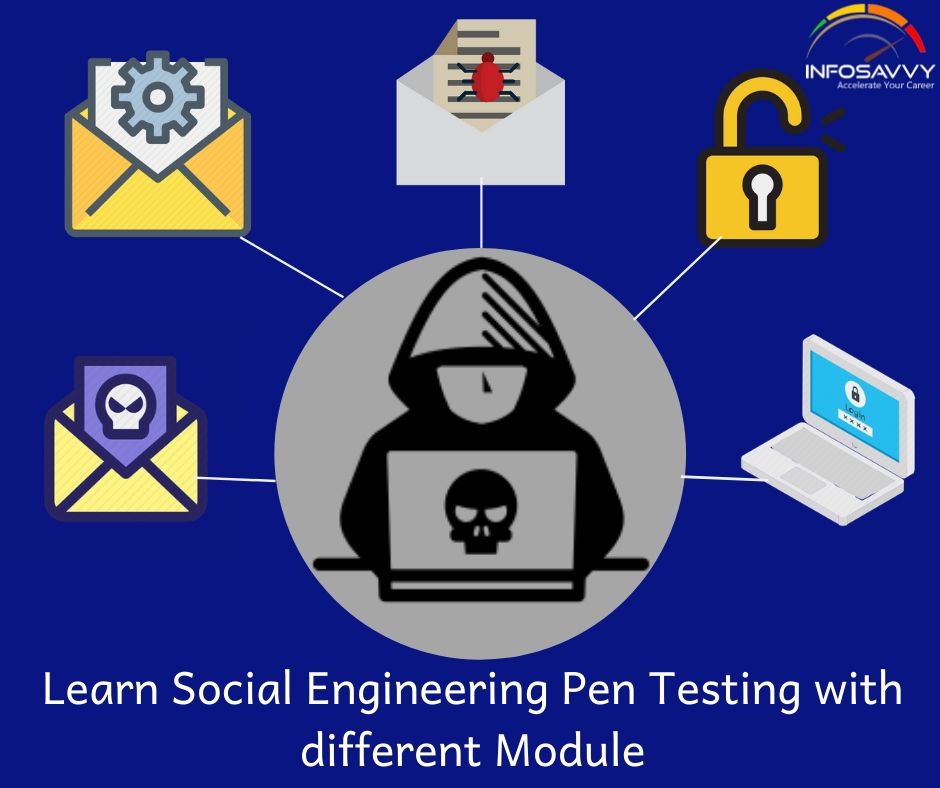
Learn Social Engineering Pen Testing with different Module

Learn Social Engineering Pen Testing with different Module-infosavvy

This article is explaining Whole concept of Social Engineering Pen Testing, There skills and Behaviors at risk of Attacks etc.

 What is Social Engineering Pen Testing?

Considering that you just are now familiar with all the mandatory concepts of social engineering, techniques to perform social engineering, and countermeasures to implement various threats, we are going to proceed to penetration testing. Social engineering pen testing is that the process of testing the target’s security against social engineering by simulating the actions of an attacker.This section describes social-engineering pen testing and also the steps to conduct the test.

The main objective of social-engineering pen testing is to check the strength of human factors during a security chain within the organization. Social-engineering pen testing helps to lift the extent of security awareness among employees. The tester should demonstrate extreme care and professionalism within the social engineering pen test, because it might involve legal issues like violation of privacy, and will lead to an embarrassing situation for the organization.

Pen Tester Skills:

  •  Good interpersonal skills
  •  Good communication skills
  •  Creative
  •  Talkative and friendly

 Social Engineering Concepts

There is no single security mechanism that can protect from social-engineering techniques employed by attackers. Only educating employees on a way to recognize and answer social-engineering attacks can minimize attackers’ chances of success. Before going ahead with this module, let’s first discuss various social engineering concepts.This section describes social-engineering, frequent targets of social-engineering, behaviors susceptible to attacks, factors making companies susceptible to attacks, why  It’s effective, and phases of a social-engineering attack.

Learn more in practical about network sniffing by becoming an EC-Council Certified Ethical Hacker from Infosavvy, Mumbai

“Social engineering bypasses all technologies, including firewalls.”

What are the Common Targets of Social Engineering?

A social engineer uses the vulnerability of human nature as their best tool, usually, people believe and trust others and derive fulfillment from helping the needy.

Discussed below are the foremost common targets of social engineering in an organization:

Receptionists and Help-Desk Personnel: Social engineers generally target service-desk or help-desk personnel of the target organization by tricking them into divulging tip about the organization. To extract information, like a number or a password, the attacker first wins the trust of the individual with the data. On winning their trust, the attacker manipulates them to induce valuable information. Receptionists and help-desk staff may readily share information if they feel they’re doing so to assist a customer.

Technical Support Executives: Another target of social-engineers are technical support executives, The social-engineers may take the approach of contacting technical support executives to get sensitive information by pretending to be a senior management, customer, vendor, and so on.

System Administrators: A computer user in a company is chargeable for maintaining the systems and thus he/she may have critical information like the sort and version of OS, admin passwords, and so on, that would be helpful for an attacker in planning an attack.

Users and Clients: Attackers could approach users and clients of the target organization, pretending to be a tech support person to extract sensitive information.

Vendors of the Target Organization: Attackers can also target the vendors of the organization to realize critical information that would be helpful in executing other attacks.

Click here for continue Reading:- https://www.info-savvy.com/learn-social-engineering-pen-testing-with-different-module/


This Blog Article is posted by
Infosavvy, 2nd Floor, Sai Niketan, Chandavalkar Road Opp. Gora Gandhi Hotel, Above Jumbo King, beside Speakwell Institute, Borivali West, Mumbai, Maharashtra 400092

Contact us – www.info-savvy.com

https://g.co/kgs/ttqPpZ

Information security

Top IT Management Certifications of 2020 to Impress Recruiters

IT managers are often responsible not only for overseeing the IT infrastructure in a company but overseeing IT teams still. To succeed as an IT manager, you’ll got to understand the basics of security, data storage, hardware, software, networking and IT management frameworks.

IT Management Certifications

The certifications that you’ll want for an IT management position will vary counting on the kinds of technology you’re employed with and also the methodologies your organization subscribes to. But if you’re already on the management track, or have your eye on an IT management career, anyone of those 10 IT management certifications will give you a leg up within the industry.
The consensus: Certifications certainly can make a difference, but not all certifications are created equal. Below are some of the ones that recruiters say actually move the needle in their decision to hire a candidate — if one of them is relevant to your field, consider looking into it! 

https://www.info-savvy.com/top-it-management-certifications-of-2020-to-impress-recruiters/

1. AWS Certified Solutions Architect – Associate

The AWS Certified Solutions Architect Associate-level exam demonstrates an individual’s expertise in designing and deploying scalable systems on AWS. It’s unsurprising to ascertain this certification again in our top five thanks to the market need for skilled and licensed AWS solutions architects. This certification has been here for several years, showing what quantity demand there’s year after year because of the expansion within the cloud.This is the prerequisite step to achieving the AWS Certified Solutions Architect – Professional certification.

2. AWSCertified Developer – Associate

This certification cracks our top five for the second straight year. It validates technical expertise in developing and maintaining applications on AWS, as against designing the answer with the Solutions Architect certification. Achieving the AWS Certified Developer certification demonstrates the power to efficiently use AWS SDKs to interact with services from within applications and write code that optimizes AWS application performance. The explosion in popularity of the AWS Certified Developer certification is directly correlated with the rapid climb of organizations developing cloud-based applications to quickly advance their footprint and remain competitive. This is also associated with the explosive growth in IoT (Internet of Things) and mobile development, much of which is backed by resources within the cloud.

3. ITIL® Foundation

Over the last 30 years, ITIL has become the foremost widely used framework for IT management within the world. Why? It’s a group of best practices for aligning the services IT provides with the wants of the organization. It covers everything from availability and capacity management to vary and incident management, additionally to application and IT operations management. And this year, ITIL is getting an upgrade. ITIL 4 was released earlier this year and reflects new ways of working that have accompanied the digital revolution, like DevOps, Agile and Lean IT. ITIL Foundation is that the entry-level ITIL certification and provides a broad-based understanding of the IT service life-cycle.
This certification is accepted as a framework for managing the IT lifecycle. As such, it’s different from the opposite certifications on this list and is one among the few that focuses on the intersection of IT and also the needs of the business.

https://www.info-savvy.com/top-it-management-certifications-of-2020-to-impress-recruiters/

4. Certified Information Security Manager (CISM)

ISACA created and maintains the CISM certification. it’s a management-focused certification, aimed toward professionals who build and manage an enterprise’s information security. CISM promotes international security best practices.

5. Certified in Risk and data Systems Control (CRISC)

ISACA offers and manages this certification. When it involves risk management proficiency, CRISC is that the truest evaluation there’s. CRISC-certified professionals help organizations understand business risk, and possess the talents to implement, develop and maintain information systems controls.

“Management is doing things right; leadership is doing the right things”
– Peter F. Drucker

6. Certified Information Systems Security Professional (CISSP)

Offered by the International Information Systems Security Certification Consortium (ISC)² as a vendor-neutral credential, CISSP is meant to prove security expertise. like the opposite security-related certifications, demand is high and is projected to be so for several years to return.
CISSP may be a widely desired indicator of data , experience and excellence on the resume of the many IT professionals. CISSP isn’t just a recommendation by industry groups—it has achieved its respected position as a crucial IT certification through practical observation. The drive to realize this notable certification is evidenced in its appearance on a big number of job postings. Performing employment search in any moderate or larger metropolitan area reveals that an astounding number of IT and security positions request that the applicant be CISSP-certified.

7. Certified Ethical Hacker (CEH)

The International Council of E-Commerce Consultants (EC-Council) created and manages the CEH certification, which is geared toward security officers and auditors, site administrators, etal. liable for network and data security. The exam is meant to check a candidate’s abilities to prod for holes, weaknesses and vulnerabilities during a company’s network defenses using techniques and methods that hackers employ. The difference between a hacker and a CEH is that a hacker wants to cause damage, steal information, etc., while the CEH wants to repair the deficiencies found. The goal of this certification is to master ethical hacking methodology which will be utilized in penetration testing. These skills are in-demand and internationally-recognized. CEH applies equally to on-premises and cloud deployments. Given the numerous attacks and great volume of private data in danger and therefore the potential legal liabilities, the requirement for CEHs is high, hence the salaries reported. The CEH certification is continually being updated to match the tools and techniques employed by hackers and knowledge security professionals alike to interrupt into any computing system. you’ll be immersed into a “Hacker Mindset” so as to think sort of a hacker and better defend against future attacks.


This Blog Article is posted by

Infosavvy, 2nd Floor, Sai Niketan, Chandavalkar Road Opp. Gora Gandhi Hotel, Above Jumbo King, beside Speakwell Institute, Borivali West, Mumbai, Maharashtra 400092


Contact us www.info-savvy.com 

https://goo.gl/maps/vYF7s2sje1vUdi3S6

Information security

Introduction of USB Spyware and It’s types

In this Spyware artical you will learn about USB, Spyware Engendering, Types of USB,Types of Spyware like Desktop, Email,Child-Observing, Internet etc.

What is USB Spyware ?
USB spyware screens and breaks down information moved between any USB gadget associated with a PC and its applications. It helps in application improvement, USB gadget driver or equipment advancement and offers an incredible stage for successful coding, testing, and streamlining.

Coming up next is the rundown of USB spyware:
• USB Analyzer
• USB Screen
• USB Review
• Advanced USB Port Screen
• USB Screen Professional
• Free USB Analyzer
• USBlyzer
• Usb Sniffer for Windows
• USB Trace
• Key Carbon LAB
• USB 2GB Key logger Wife

USB spyware may be a program intended for keeping an eye on the PC that duplicates spyware records from a USB gadget onto the hard circle with no solicitation and warning. It runs in concealed mode, so clients won’t know about the spyware or the observation.
USB spyware gives a multifaceted arrangement within the area of USB interchanges, because it is fit checking USB devices’ movement without making extra channels, gadgets, etc which will harm the framework driver structure.
USB spyware allows you to catch, show, record, and examine the information moved between any USB gadget associated and a PC and its applications. This empowers it to require a shot at gadget drivers or equipment improvement, therefore giving an incredible stage to viable coding, testing, and advancement, and makes it an extraordinary instrument for investigating programming.
Learn in Details about Investigation techniques in CEH Mumbai,

“The purpose of technology is not to confuse the brain but to serve the body”

It catches all of the correspondences between a USB gadget and its host and spares it into a shrouded document for later audit. A nitty gritty log displays an outline of each datum exchange, alongside its help data. The USB spyware utilizes low framework assets of the host PC. This works with its own timestamp to log all of the exercises within the correspondence succession. USB spyware doesn’t contain any adware or other spyware.

It works with latest variations of Windows.
• USB spyware duplicates records from USB gadgets to your hard plate in concealed mode with no solicitation
• It makes a shrouded document/index with this date and starts the foundation replicating process
• It enables you to catch, show, record, and break down information moved between any USB gadget related to a PC and applications

What are types of USB Spyware?

Audio Spyware
Sound spyware may be a sound reconnaissance program intended to record sound onto the PC. The aggressor can introduce the spyware on the PC without the authorization of the PC client during a quiet way without sending any notice to the client. The sound spyware runs out of sight to record circumspectly. Utilizing sound spyware doesn’t require any regulatory benefits.
Sound spyware screens and records an assortment of sounds on the PC, sparing them during a concealed document on the neighborhood circle for later recovery. Subsequently, assailants or malignant clients utilize this sound spyware to snoop and screen gathering accounts, telephone calls, and radio stations which will contain the private data.
It is fit recording and spying voice visit messages of different well known moment couriers. With this sound spyware, individuals can look out for their workers or kids and see with whom they’re discussing.
It screens advanced sound gadgets, for instance , different delivery people, amplifiers, and mobile phones. It can record sound discussions by spying and screen all ingoing and active calls, instant messages, etc. they allow ive call checking, sound observation, track SMS, logging all calls, and GPR5 following.

Video Spyware Video spyware is programming for video reconnaissance introduced on the target PC without the user’s information. All video movement are often recorded by a modified timetable. The video spyware runs straightforwardly out of sight, and furtively screens and records webcams and video IM transformations. The remote access highlight of video spyware enables the aggressor to accompany the remote or target framework to actuate alarms and electric gadgets, and see recorded pictures during a video document or maybe get live pictures from all of the cameras related to this framework utilizing an online browser, for instance , Web Adventurer.

Print Spyware
Aggressors can screen the printer use of the target association remotely by utilizing print spyware. Print spyware is printer use checking programming that screens printers within the association. Print spyware gives exact data about print exercises for printers within the workplace or nearby printers, which helps in advancing printing, sparing expenses, etc. It records all data identified with the printer exercises, spares the info in encoded log, and sends the log document to a predetermined email address over the web. The log report comprises of the definite print work properties, for instance , number of pages printed, number of duplicates, content printed, the date and time at which the print move made spot.
Print spyware records the log reports in various arrangements for various purposes, for instance , a web position for sending the reports to an email through the web or the web and in covered up scrambled organization to store on the neighborhood plate. The log reports produced MI help assailants in examining printer exercises. The log report shows what number of records every representative or workstation printed, alongside the time frame. These aides in checking printer utilization and to make a decision how representatives are utilizing the printer. This software also allows limiting access to the printer. This log report helps attackers to trace out information about sensitive and secret documents printed.

Telephone/Mobile phone Spyware
Phone/mobile phone spyware may be a product instrument that provides you full access to screen a victim’s telephone or cell. it’ll totally conceal itself from the client of the telephone. it’ll record and log all action on the telephone, for instance , Web use, instant messages, and telephone calls. At that time you’ll get to the logged data by means of the software’s principle site, or you can likewise get this following data through SMS or email. Typically, this spyware screens and track telephone utilization of workers. In any case, assailants are utilizing this spyware to follow data from their objective person’s or organization’s phones/PDAs. Utilizing this spyware doesn’t require any approved benefits.

“Know who you are buying from. These are interesting times with loats of risks.”

Most normal phone cell phone spyware highlights include:Call History: Enables you to see the whole call history of the telephone (both approaching and active calls).
View Instant messages: Empowers you to see all approaching and active instant messages. It even shows erased messages in the log report.
Web Webpage History: Records the whole history of all sites visited through the telephone in the log report document.
GPS Following: Gives you where the telephone is progressively. There is additionally a log of the cell phone’s area so you can see where the telephone has been.

Click here for continue blog– https://www.info-savvy.com/introduction-of-usb-spyware-and-its-types/

This Blog Article is posted by,
Infosavvy, 2nd Floor, Sai Niketan, Chandavalkar Road Opp. Gora Gandhi Hotel, Above Jumbo King, beside Speakwell Institute, Borivali West, Mumbai, Maharashtra 400092


Contact us – www.info-savvy.com

Information security

Everything You Need To Know About Sniffing – Part 2

Vulnerable to sniffing

The following protocols are vulnerable to sniffing. The most reason for vulnerable to Sniffing these protocols is to accumulate passwords:

Telnet and Rlogin

Telnet may be a protocol used for communicating with a remote host (via port no. 23) on a network by using a instruction terminal. Rlogin enables an attacker to log into a network machine remotely via TCP connection. The protocols fail to supply encryption; therefore the data traversing between the clients connected through any of those protocols is in plain text and vulnerable to Sniffing, Attackers can sniff keystrokes including usernames and passwords.

HTTP

Due to vulnerabilities within the default version of HTTP, websites implementing HTTP transfer user data across the network in plain text, which the attackers can read to steal user credentials,

SNMP

SNMP may be a TCP/IP based protocol used for exchanging management information between devices connected on a network. The primary version of SNMP (SNMPv1) doesn’t offer strong security, which results in transfer of knowledge in clear text format. Attackers exploit the vulnerabilities during this version so as to accumulate passwords in plain text.

  • Network News Transfer Protocol (NNTP) distributes, inquires, retrieves, and posts news articles employing a reliable stream-based transmission of news among the ARPA-Internet
  • NNTP community, the protocol fails to encrypt the data which provides an attacker the chance to sniff sensitive information.

POP

The Post Office Protocol (POP) allows a user’s workstation to access mail from a mailbox server. A user can send mail from the workstation to the mailbox server via the simple Mail Transfer Protocol (SMTP). Attackers can easily sniff the data flowing across a POP network in clear text due to the protocol’s weak security implementations.

FTP

File Transfer Protocol (FTP) enables clients to share files between computers during a network. This protocol fails to supply encryption; so attackers sniff data also as user credentials by running tools like Cain & Abel.

IMAP

Internet Message Access Protocol (IMAP) allows a client to access and manipulate electronic message messages on a server. This protocol offers inadequate security, which allows attackers to get data and user credentials in clear text.

Sniffing within the data link Layer of the OSI Model

The Open Systems Interconnection (OSI) model describes network functions as a series of severs layers. Each layer provides services to the layer above it and receives services from the layer below.

The Data Link layer is that the second layer of the OSI model. During this layer, data packets are encoded and decoded into bits. Sniffers operate at the data Link layer and may capture the packets from the data Link layer. Networking layers within the 051 model are designed to work independently of every other; if a sniffer sniffs data within the data link layer, the upper OSI layer won’t be aware of the vulnerable to Sniffing.

Read more for continue blog:-https://www.info-savvy.com/everything-you-need-to-know-about-sniffing-part-2/

This Blog Article is posted byInfosavvy2nd Floor, Sai Niketan, Chandavalkar Road Opp. Gora Gandhi Hotel, Above Jumbo King, beside Speakwell Institute, Borivali West, Mumbai, Maharashtra 400092

visit:- https://www.info-savvy.com/